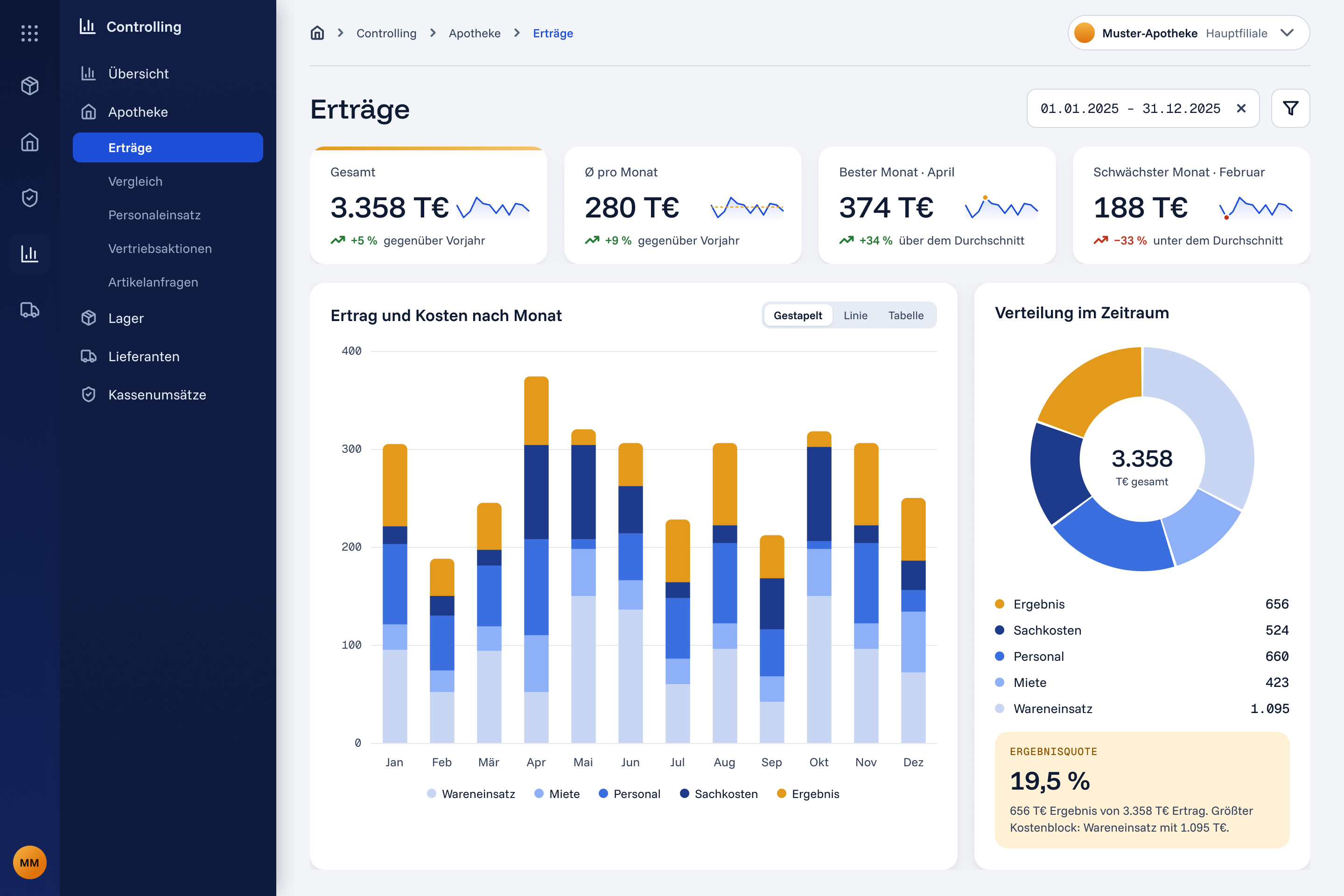
Total, monthly average, best and weakest month, each set against the previous year or the average, so a figure never stands alone.
One stacked chart shows how each month splits into goods, rent, staff, other costs and the result.
The cost split for the chosen period, with the result share called out underneath.
How decisions were made
Interviews with pharmacy owners, pharmacy managers and the client’s stakeholders.
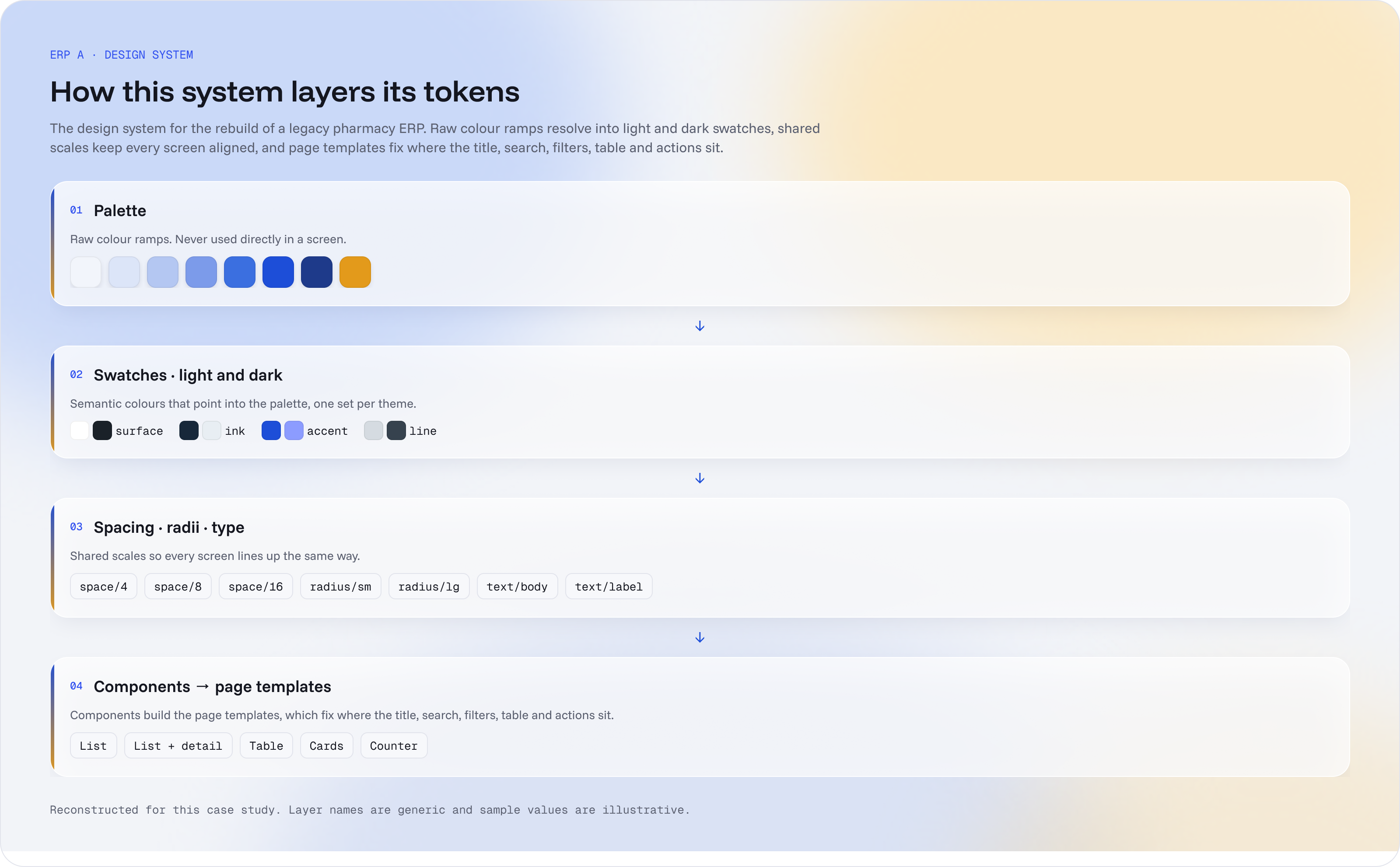
One design system for 40 modules
Raw colour ramps resolve into light and dark swatches, shared scales keep every screen aligned, and components build the page templates. I run the library: other designers propose components, I add them, and versions are published regularly with a changelog. Developers take the tokens straight into the build.
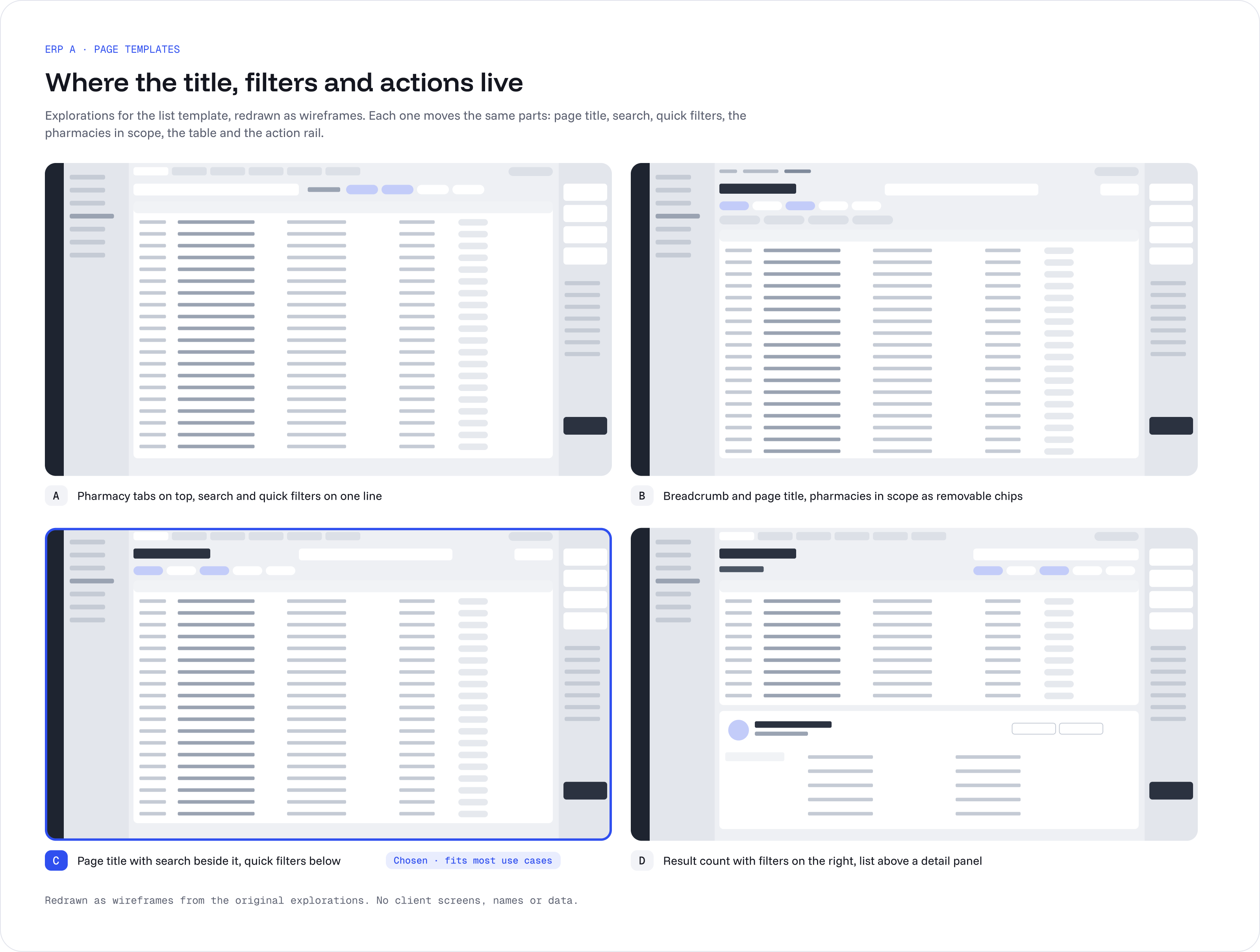
Settle the layout once, in the template
Stakeholders disagreed about where actions should sit, and users arrived with habits from the different systems they had used before. Instead of settling it screen by screen, the list template was explored in four layouts. Option C — page title with search beside it, quick filters below — was chosen because it fits most of the use cases. Every list in the product now inherits it.
Reports that say what to do
Back-office reports usually stop at the chart. The ABC analysis goes one step further: next to turnover and revenue share (actual against ideal), it explains what the gap means in plain language and lists concrete next steps, for example “A items turn too fast: order them more often.” This part is shown as a concept; it is in the design, not yet in the released modules.
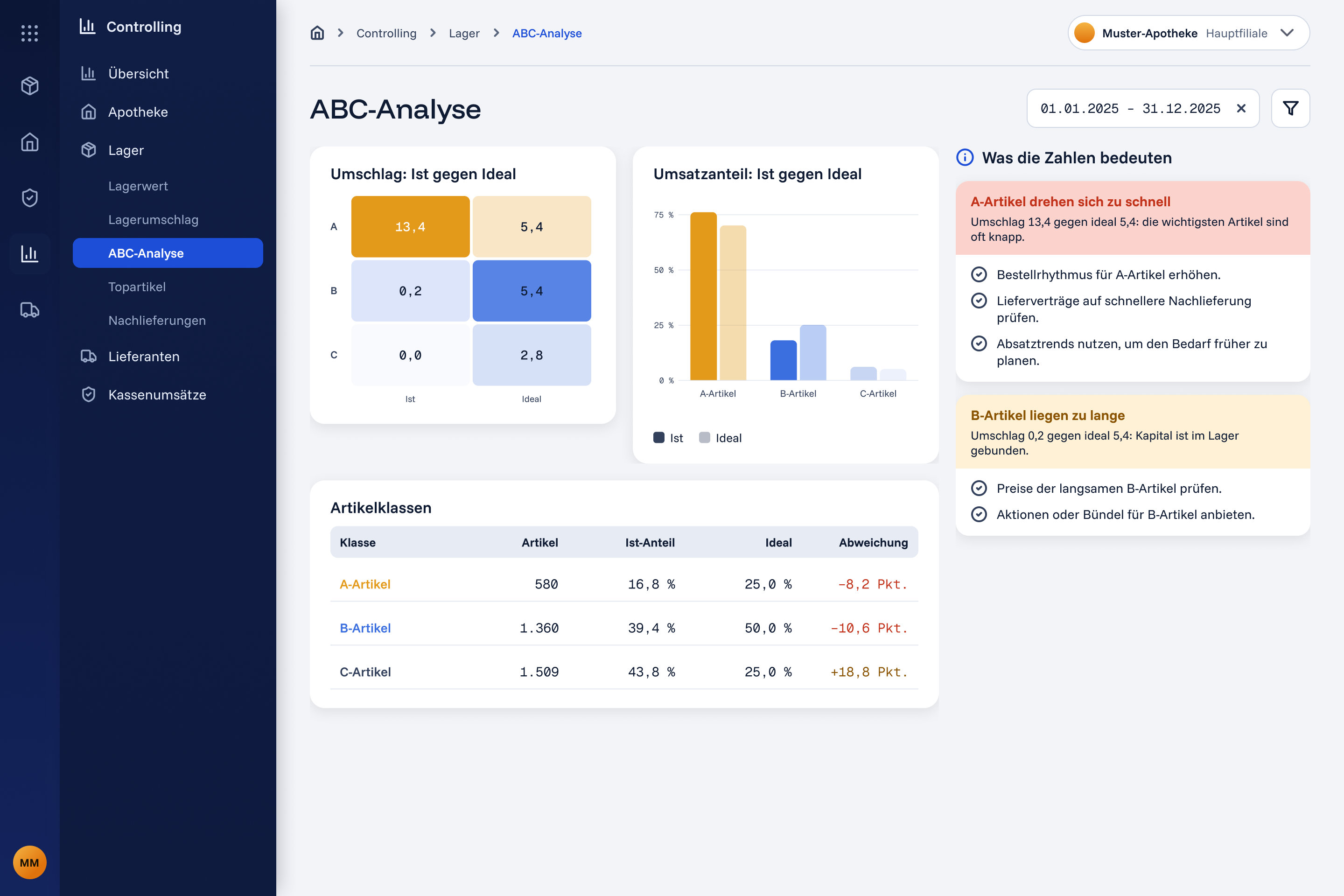
Numbers a pharmacy owner can use
The revenue overview shows four KPI tiles (total, monthly average, best and weakest month, each compared with something), a stacked monthly chart and the cost split. Customer frequency is a heatmap of customers per hour across the week, so staffing can follow the real peaks. Both are built for pharmacy owners and managers — the people the interviews showed make these decisions.
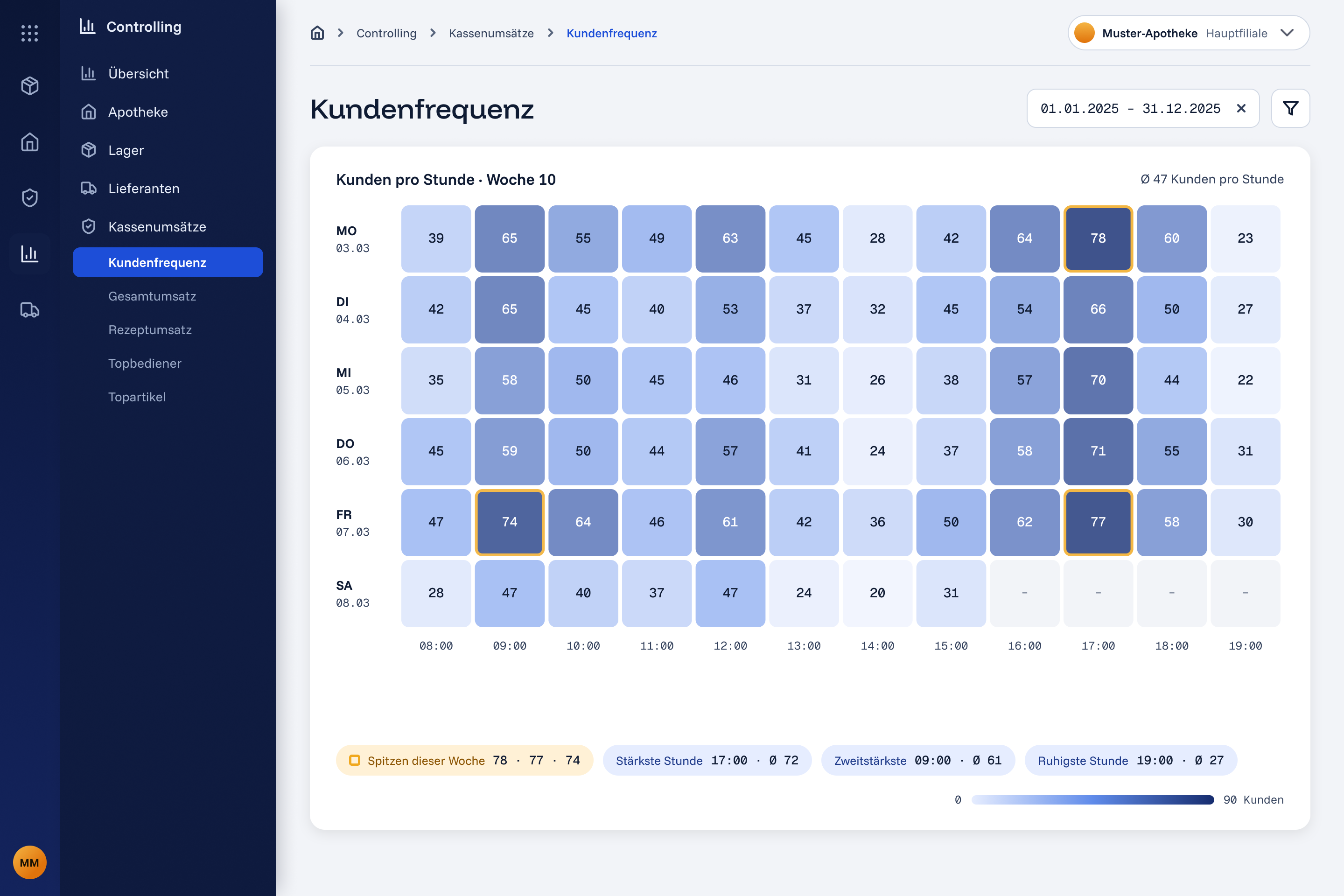
From the design system
Fewer inconsistencies, fewer UI bugs, and little front-end rework on standard components and behaviour.